
Higher numbers don't mean better sound. The right setting depends on where your audio is going, not how impressive it looks.
What Is Audio Sample Rate? How to Choose the Best Sample Rate
If you make music, you have probably stared at the sample rate dropdown in your DAW and hesitated. Should you choose 44.1 kHz, 48 kHz, or go bigger with 96 kHz? It is one of the most common questions new producers ask, and clear answers are surprisingly rare.
Here is the short version. Sample rate is a workflow choice, not a magic quality dial. The best setting depends on what you are making and where it will be heard, not on which number looks most impressive.
What a Sample Rate Actually Does
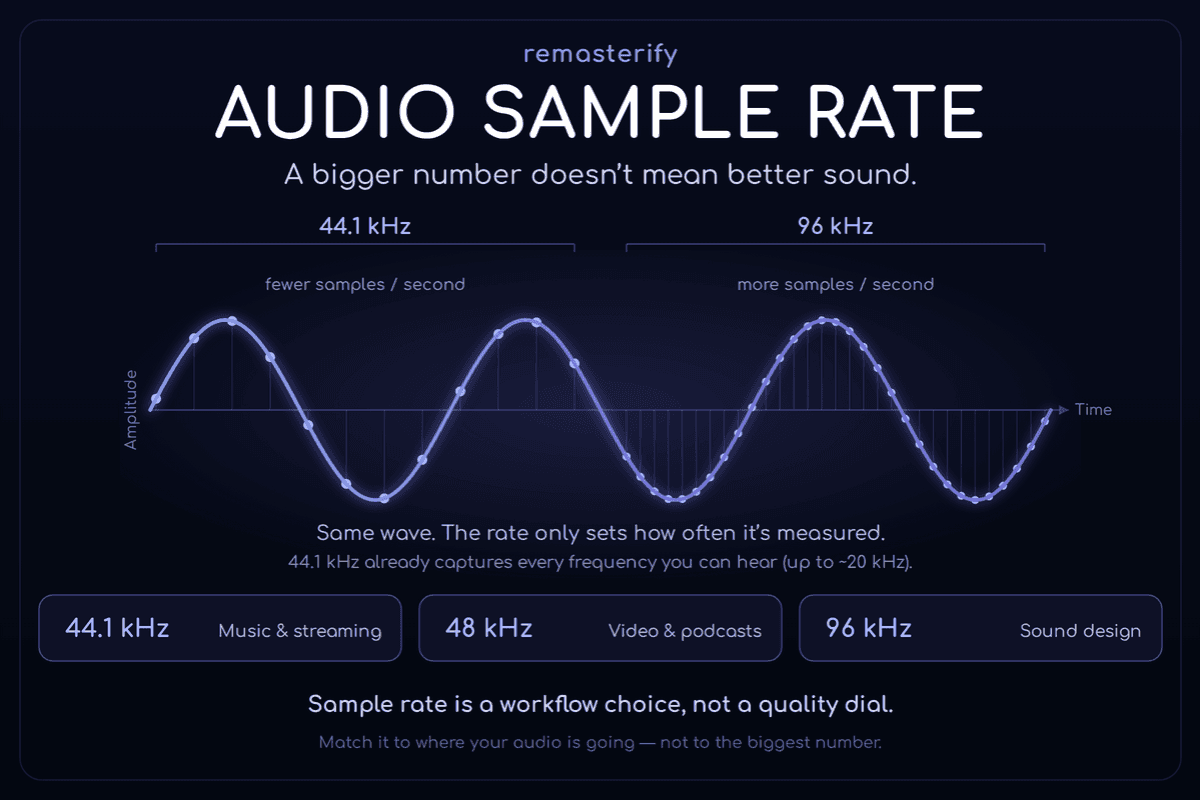
A sample rate is how many times per second your computer measures incoming audio. At 44.1 kHz, it takes 44,100 measurements every second.
A principle called the Nyquist theorem governs the rest. It says a digital system can accurately capture any frequency up to half its sample rate. So 44.1 kHz reproduces sound up to roughly 22 kHz.
That figure matters because human hearing tops out around 20 kHz, and most adults hear less. A 44.1 kHz file already covers everything your ears can detect.
You may have seen a sample rate drawn as a jagged stair-step. That image is misleading. Converting back to analog smooths those points into a continuous wave, so nothing sounds blocky.
44.1 kHz, 48 kHz, or 96 kHz: Which One and When
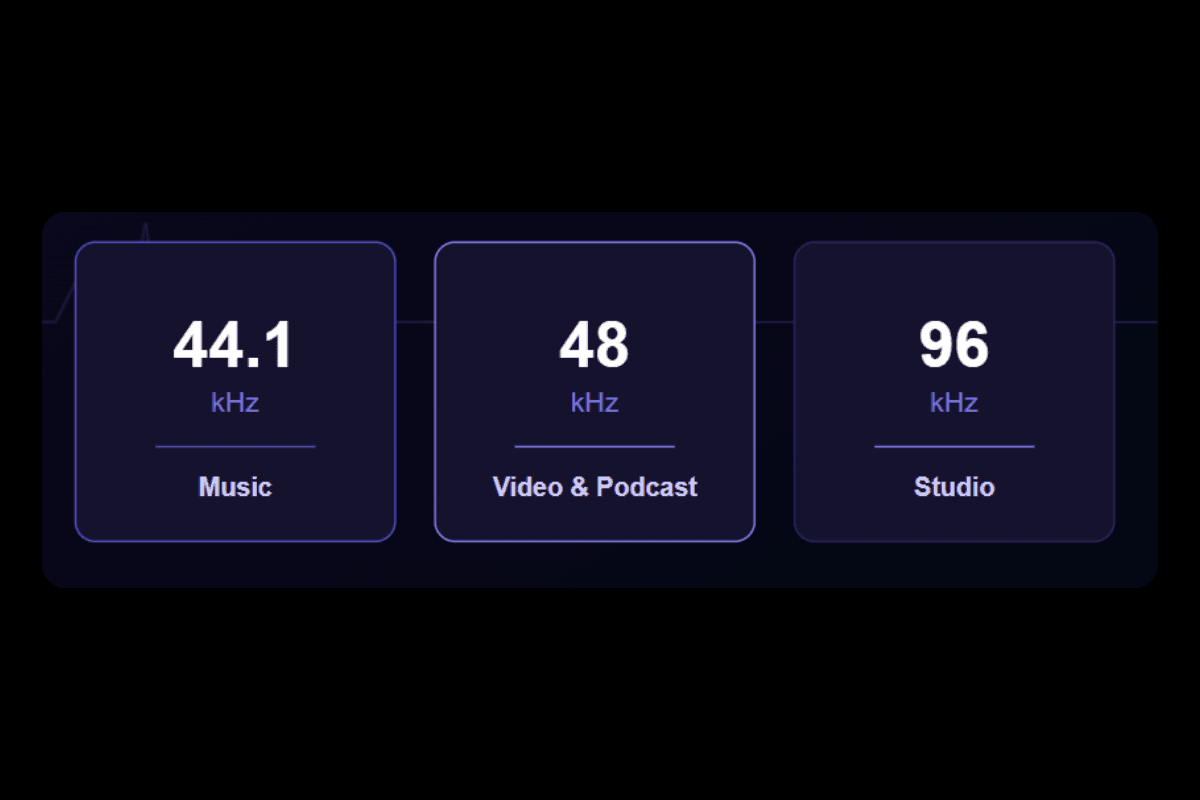
Each rate has a job, and choosing well depends on your final destination.
Use 44.1 kHz for music.
It is the long-standing standard for songs and streaming, rooted in CD audio. When Spotify launched lossless streaming in 2025, it capped playback at 24-bit/44.1 kHz and downsampled higher-rate files to that ceiling anyway.
Use 48 kHz for anything tied to picture.
Film, television, YouTube, podcasts, and voice-over work all expect 48 kHz, since it is the standard across video production.
Save 96 kHz for specific jobs.
It earns its place during heavy pitch shifting, extreme time stretching, or detailed sound design, where extra samples give the processing more to work with. For a song headed to streaming, 96 kHz mostly adds CPU load and bigger files with no payoff you can hear.
The Myths That Trip Up Beginners
A few beliefs cause most of the confusion, and clearing them up saves time and disk space.
Converting a file to a higher rate does not add detail.
Upsampling a finished 44.1 kHz track to 96 kHz only makes it larger, because the captured information is all there is.
Modern plugins already handle the hard part.
Many apply internal oversampling while processing, so you rarely need to run an entire project at 96 kHz for clean results.
Most listeners cannot reliably tell the difference.
In a 2007 study in the Journal of the Audio Engineering Society, Meyer and Moran ran double-blind tests with experienced listeners, including professional engineers and audiophiles. They compared high-resolution playback against the same signal routed through a CD-quality 16-bit/44.1 kHz stage.
At normal listening levels the CD-standard signal was undetectable, and scores were no better than chance. Meyer & Moran, Journal of the Audio Engineering Society, 2007
Bit Depth Deserves More of Your Attention
Sample rate gets the attention, but bit depth quietly does important work, and the two are not rivals. They do different jobs.
Sample rate sets how often audio is measured. Bit depth sets how precisely each measurement is stored, which shapes your noise floor and headroom.
Recording at 24-bit gives you room to set levels without worry. Quiet passages stay clean, and loud takes are far less likely to clip.
For most beginners, getting levels and gain staging right at 24-bit matters more than chasing a higher sample rate.
Read this blog to know the difference between sample rate and bit depth.
Where Does This Leave Your Master?
Your sample rate decision happens long before mastering. Once your mix is done, the rate at which it was made is set, and a mastering tool cannot add quality by changing it.
What matters at that stage is a clean, well-balanced stereo mix. Export it as a 24-bit WAV at your project's sample rate, then run it through Remasterify.
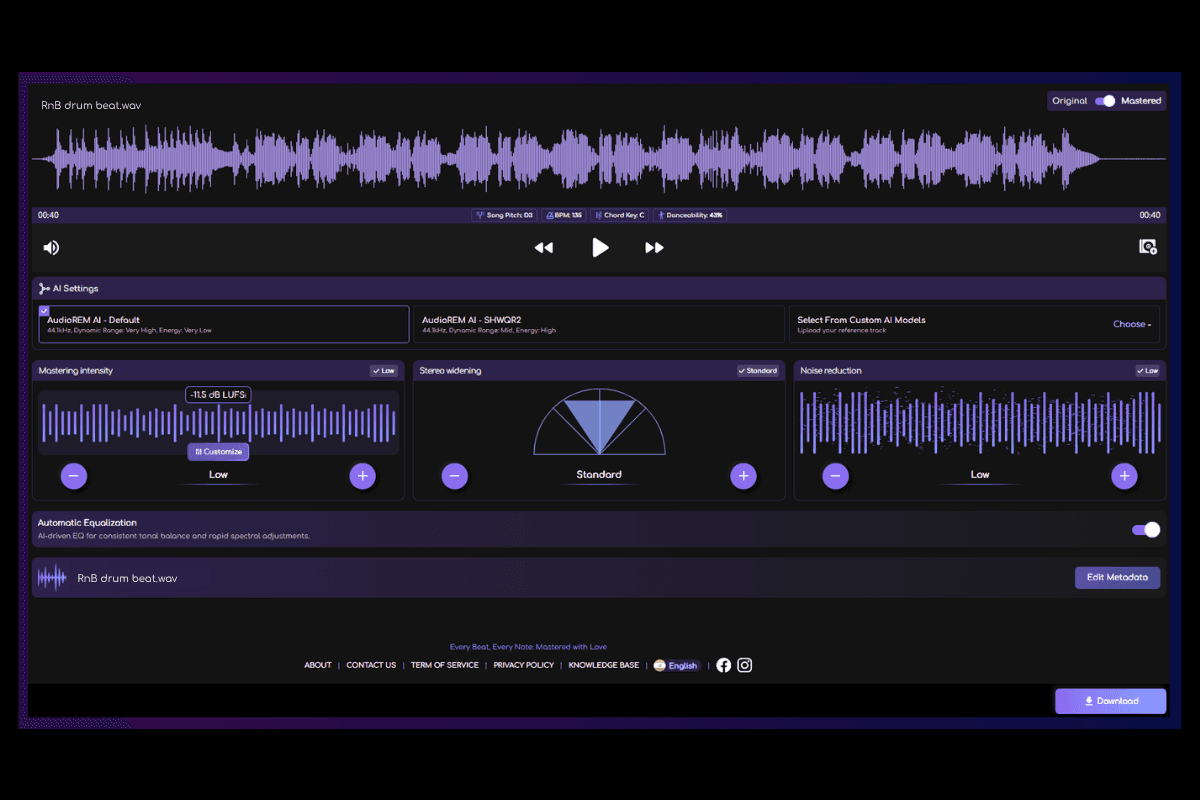
Remasterify is an online AI mastering platform that works on your finished stereo mix rather than your individual tracks. It applies song-aware processing, loudness normalization, and controls for stereo width and tone, so the result sounds balanced and release-ready.
Sample rate stays in your hands at the final step. When you export, Remasterify lets you set the output rate to 44.1 kHz, 48 kHz, or 96 kHz, the same three options from the cheat sheet above. So, you can set the output rate to match your destination directly: 44.1 kHz for a streaming release or 48 kHz for video.
You also choose your loudness target and file type in the same panel, from a 320 kbps MP3 up to a 24-bit HD WAV. The polish comes from the quality of your mix and the mastering itself, not from an inflated sample rate.
A Quick Cheat Sheet
Here is the whole decision in one view.
| What are you making | Sample rate | Bit depth |
|---|---|---|
| Music (streaming or release) | 44.1 kHz | 24-bit |
| Video, film, or YouTube | 48 kHz | 24-bit |
| Podcast or voice-over | 48 kHz | 24-bit |
| Mastering | Match your mix | 24-bit |
| Sound design or heavy processing | 96 kHz | 24-bit |
One rule ties it together. Do not downsample your master before sending it out, because streaming platforms convert as needed. Deliver the highest-quality file your project produced.
Frequently Asked Questions
Why do professionals still use 44.1 kHz?
It is the established standard for music, going back to CD audio, and it plays cleanly across every device and platform. A 44.1 kHz file already captures the full range of human hearing, so higher rates add CPU load and file size without an audible gain for finished music. Many major releases are produced and delivered at 44.1 kHz or 48 kHz with no audible drawback.
Will converting between sample rates damage my audio?
Not in any way you are likely to hear, as long as the conversion is done well. Modern sample-rate converters in your DAW and on streaming platforms are effectively transparent for normal listening. The one habit to avoid is upsampling a finished file to a higher rate, since that adds no real detail and only makes the file larger. For delivery, export at your project's rate and let the platform handle any conversion on its end, which is what Spotify advises rather than reducing quality before sending the file.
Which is better, 48 kHz or 44.1 kHz?
Neither is better on its own — the right choice depends on your project. Use 44.1 kHz for music that will be streamed or released, since it is the music standard and matches what platforms deliver. Use 48 kHz for anything tied to video, including film, YouTube, podcasts, and voice-over. Both cover the full range of human hearing, so the decision is about your destination, not raw sound quality.
Is Spotify 44.1 or 48 kHz?
Spotify is built around 44.1 kHz. When it rolled out lossless streaming in 2025, playback was capped at 24-bit/44.1 kHz FLAC. If you deliver a higher-rate file, such as 48 kHz or 96 kHz, Spotify downsamples it to a maximum of 44.1 kHz for playback on its end. You do not need to convert anything yourself, since the platform handles it.