
Drums can make or break your song. When they sound clean and punchy, your whole mix feels alive. When they sound muddy or harsh, even great melodies fall flat.
The Truth About EQing Drums: Simple Moves That Actually Work
Here's the problem most producers face. They open up their EQ plugin, start boosting and cutting random frequencies, and somehow the drums sound worse than before. Sound familiar?
You're not alone. As of 2024, over 3 million music producers worldwide actively use music production software, and most of them wrestle with the same drum EQ problems. The good news? Once you understand a few simple principles, drum EQ becomes a whole lot easier.Marketreportsworld
Let's break it down.
Why Drums Are the Trickiest Part of Any Mix
Drums cover a huge range of the frequency spectrum. A kick drum sits down low around 50Hz, while cymbals shimmer all the way up at 16kHz. That's a massive range to manage.
As legendary jazz drummer Jo Jones once said,
"The drum is the heart of music."
And that heart needs to beat clearly through every layer of your mix.
The most common drum problems producers face are simple to spot. Muddy low-end. Harsh cymbals that hurt your ears. Weak kicks that lack punch. Boxy snares that sound like cardboard. Drums that get buried or, worse, overpower everything else.
Sound familiar? Good. Because now we can fix them.
Before You EQ: Two Things to Check First
Here's something most beginners skip. Before you reach for an EQ plugin, check two things.
First, check your source.
A bad recording or weak sample will never sound great, no matter how much you EQ it. Think of it like cooking. No amount of seasoning can save a burnt steak. If your drum sample is thin or your recording is sloppy, fix that first.
Second, check the phase.
If you recorded drums with multiple mics (like a top and bottom snare mic), they might be out of phase. When that happens, your drums lose punch instantly. No EQ trick will bring it back. Most DAWs have a phase flip button on each track. Use it.
These two checks save hours of frustration. EQ is a problem-solver, not a magic wand.
The 4 Universal EQ Moves Every Drum Needs
Here's the secret pros use. Every drum, no matter which one, benefits from the same four moves.
Start with a high-pass filter.
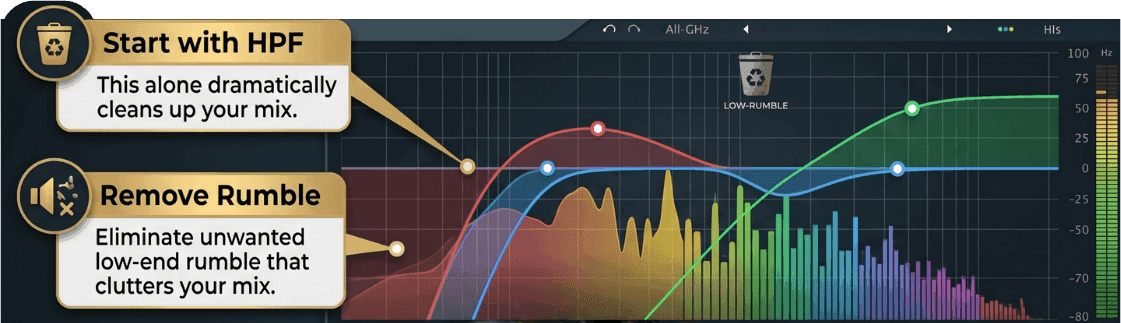
This removes unwanted low-end rumble that clutters your mix. For kicks, cut below 30Hz. For snares, cut below 80Hz. For hi-hats and cymbals, you can cut as high as 300–500Hz. This alone dramatically cleans up your mix.
Use the sweep technique.
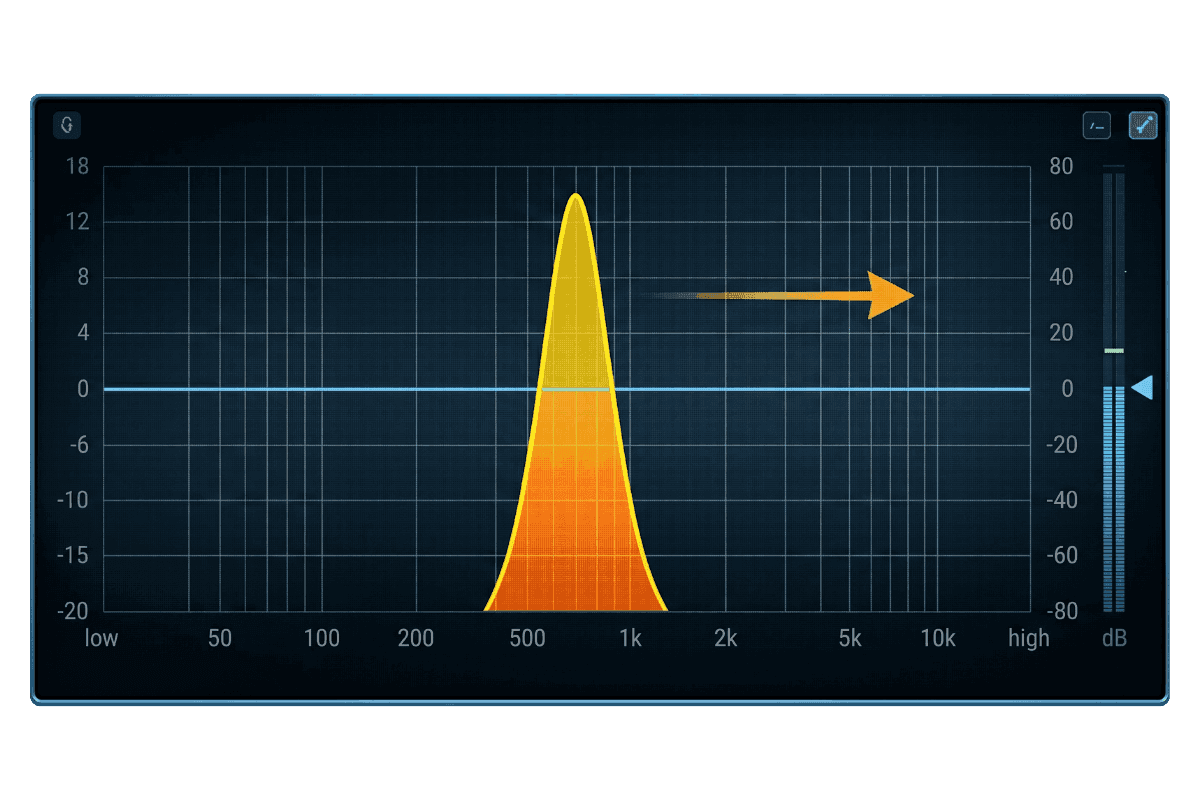
This is gold for beginners. Boost a narrow band by about 10dB, then slowly sweep it across the frequencies. When you hear something annoying (like a ring or a boom), that's your problem area. Now cut it gently. Done.
Cut the boxiness.
Almost every drum has too much energy between 300Hz and 600Hz. This is the "cardboard box" zone. A small cut here makes drums sound cleaner instantly.
Boost the character.
Once you've cleaned things up, add some flavor. Boost the thump on the kick, the snap on the snare, or the air on the cymbals.
Quick Drum EQ Cheat Sheet
Here's a simple reference for each drum. Treat these as starting points, not strict rules.
- Kick drum: Boost 60–100Hz for thump. Cut around 400Hz to kill boxiness. Boost 3–5kHz for the beater click.
- Snare drum: Boost 150–250Hz for body. Cut 400–800Hz if it sounds boxy or rings. Boost 5kHz for crack. Add a touch at 10kHz for air.
- Toms: Cut around 400–600Hz to remove mud. Boost 5kHz for attack.
- Hi-hats and cymbals: Use a high-pass filter at 300–500Hz. Use dynamic EQ around 5–7kHz to tame harshness. Boost above 10kHz for sparkle.
One bonus tip. Your kick drum and bass guitar fight for the same low frequencies. To fix this, cut the bass around 60–80Hz (where your kick lives) and cut the kick around 100–150Hz (where your bass lives). They'll finally play nice together.
Don't Stop at the Mix: Mastering Brings It All Together
So you've EQ'd your drums beautifully. Your kick punches. Your snare cracks. Your cymbals shimmer. But there's one more step before your track is ready for the world.
That step is mastering. Mastering polishes your final mix, balances it across all listening devices, and gets it loud enough to compete on streaming platforms. With home studio adoption rising to 70% in 2024, more producers than ever need a fast, affordable way to master their tracks without booking expensive studio time.ZipDo
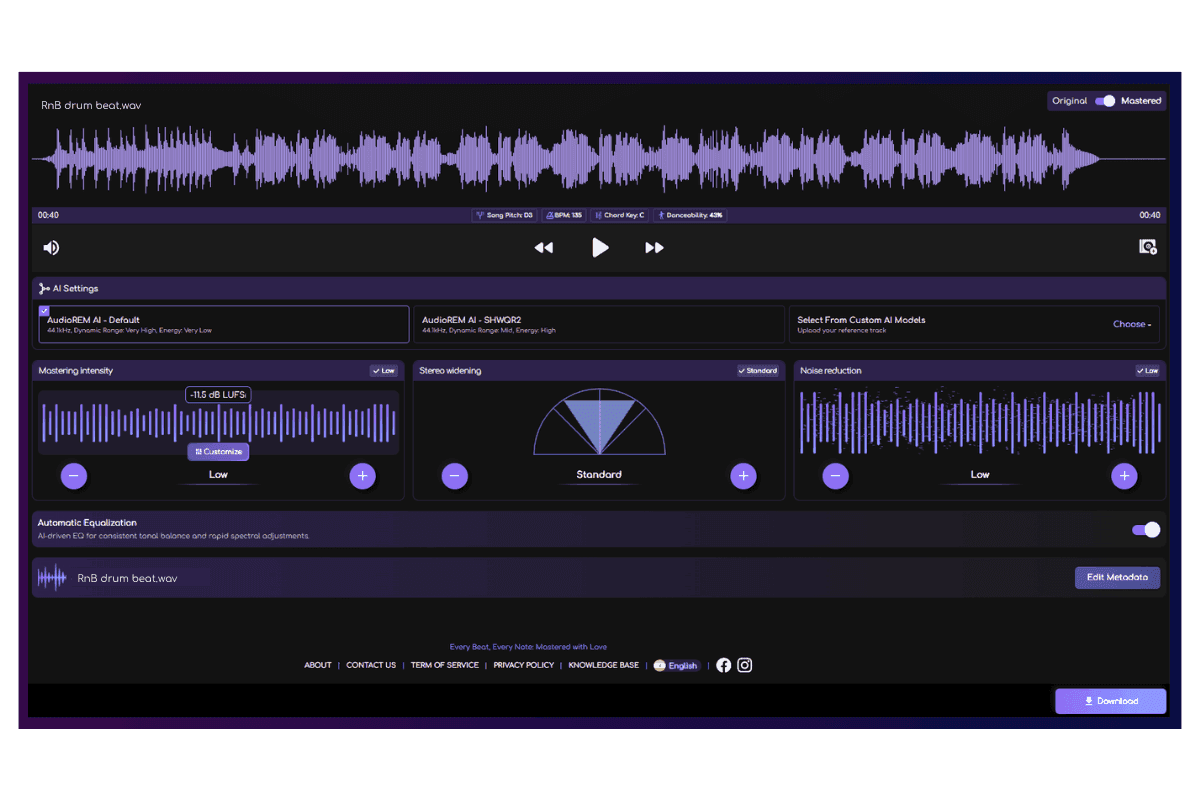
That's where Remasterify comes in. It's an online AI mastering tool that listens to your song's energy, tempo, and vibe, then builds a custom mastering chain just for that track. No two songs get the same treatment, which means your mix gets exactly what it needs.
You can choose mastering styles like Modern, Balanced, or Organic. You can also fine-tune things manually if you prefer hands-on control. And the whole process takes seconds, not hours. Best of all, the output is optimised for Spotify and other streaming platforms.
If you've spent hours getting your drums to sound perfect, mastering is the final touch that ties it all together.
The Real Secret to Great-Sounding Drums
Here's the truth nobody tells you. Great drum EQ isn't about big, aggressive moves. It's about small, smart ones.
Make tiny adjustments. Compare your sound before and after. Always listen in the context of the full mix, not just the drum soloed. Your drums might sound amazing alone but disappear in the song. That's a problem only context can reveal.
Trust your ears more than your eyes. Frequency numbers are guides, not rules. Every song, every kit, and every mix is different.
Start simple. Apply these moves. And your drums will start sitting in the mix like they were born to be there.
Frequently Asked Questions
What is the best EQ setting for drums?
There's no single best EQ setting for drums. It depends on your song, genre, and the quality of your recording or samples. A good starting point is to high-pass filter unwanted low-end, cut boxiness around 300–600Hz, and gently boost the character of each drum. Always trust your ears over fixed numbers.
How to use EQ on drums?
Start by cleaning up. Use a high-pass filter to remove low-end rumble on each drum. Then find problem frequencies using the sweep technique. Boost a narrow band, move it around, and cut where it sounds bad. Finally, add small boosts to enhance thump, snap, or air.
What is the 80/20 rule of drumming?
The 80/20 rule says that 80% of your drum sound comes from just 20% of your effort. That 20% usually includes good source recording, proper levels, and a few smart EQ moves. Focus on the basics first instead of chasing complex tricks. Simple choices make the biggest impact.
Should you EQ your drums?
Yes, but only when needed. EQ helps each drum sit clearly in the mix without clashing with other elements. However, if your drums already sound great, leave them alone. Over-EQing can make drums sound thin, harsh, or lifeless, so use it as a problem-solver, not a default step.
What is the perfect EQ setting?
There's no perfect EQ setting that works for every song. The "perfect" setting is the one that makes your track sound balanced and clear in its specific mix. Use frequency guides as starting points, then adjust by ear. Context, genre, and arrangement always matter more than fixed numbers.
How to EQ a punchy snare?
For a punchy snare, start with a high-pass filter around 70–80Hz to remove rumble. Boost 150–250Hz to add body and thickness. Cut 400–800Hz to kill boxiness or ringing. Finally, boost around 5kHz for crack and add a touch at 10kHz for crisp, airy brightness.