
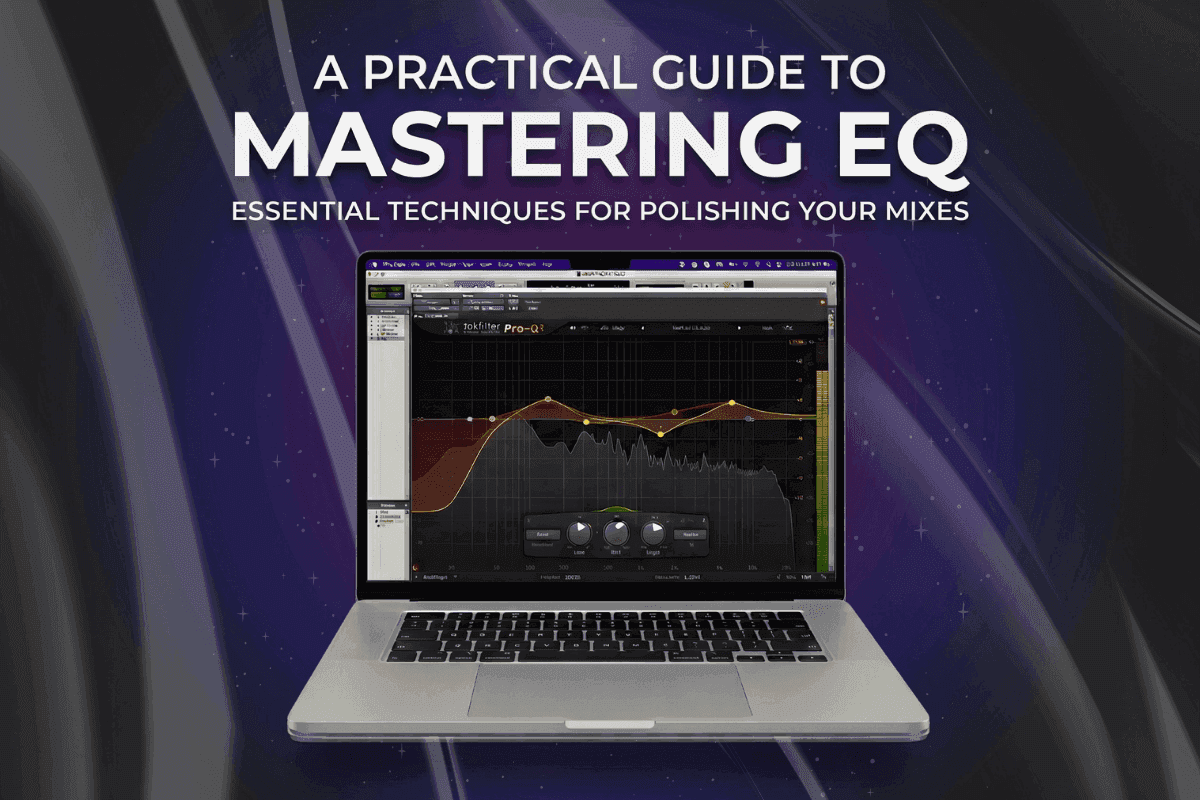
A Practical Guide to Mastering EQ
It is late, you have finally finished the song you have been chasing for weeks, and you do the one thing every producer does. You drop it into a playlist right after a track you love and hit play.
For a few seconds, it feels great. Then the pro track comes on and your stomach drops. Your version sounds a little thin, or a little dull, or just smaller somehow.
Most people assume there is a secret frequency the professionals know about and they do not. There almost never is. Mastering EQ is about small, careful refinements to a mix that is already good, not big rescue moves. Here is what it actually does, followed by a five-step workflow you can run on your very next song.
Why the "magic frequency" charts let you down
We have all searched for the cheat sheet that promises "always cut 300 Hz" or "boost 10 kHz for air." It is a comforting idea, and it is also why so many beginner masters end up sounding worse. Ask any experienced engineer and you will hear the same thing. Every song is different. What a sparse acoustic ballad needs is the opposite of what a wall-of-sound metal track needs. The size of the moves surprises people too.
Some top mastering engineers will send a mix back to the mixer if it needs more than two to three decibels of EQ correction.
So if you ever feel the urge to make a giant cut or boost, take it as a cue. The problem usually lives back in the mix, and that is where it should be solved.
What you are actually trying to do
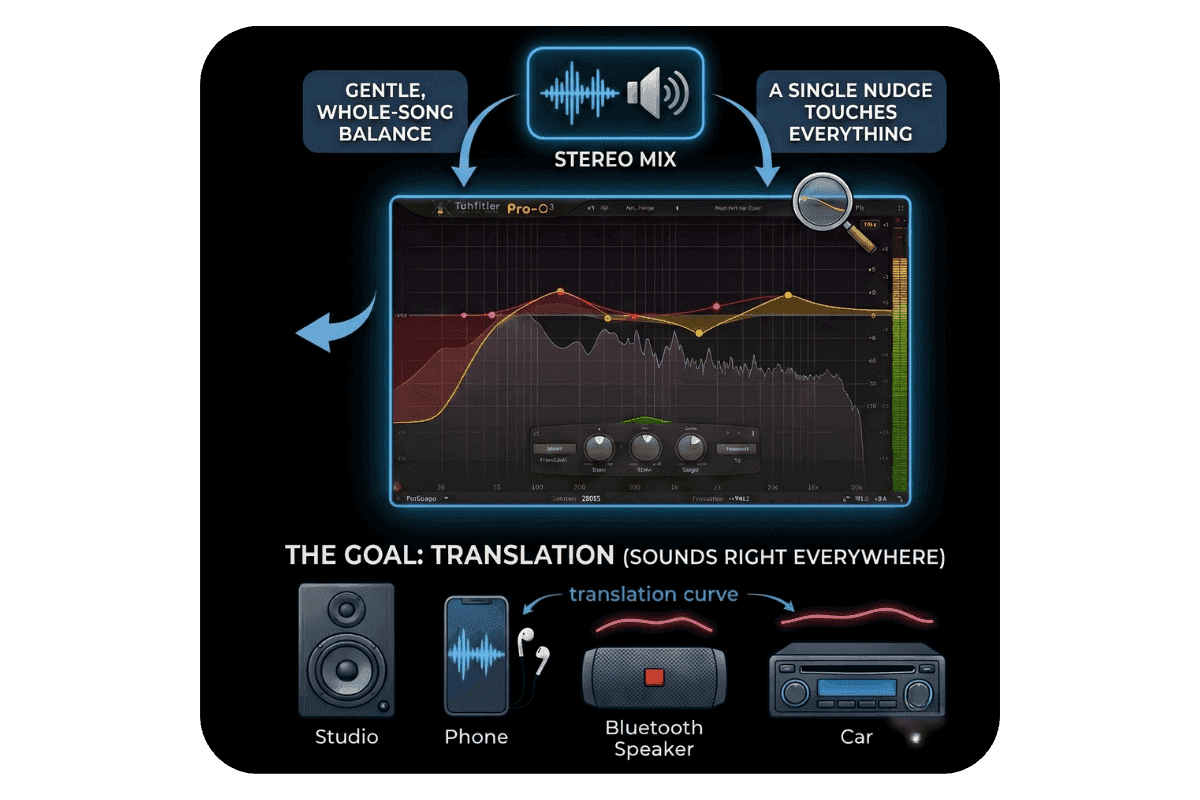
Mixing EQ shapes each instrument so the guitar, the vocal, and the kick all have room to breathe. Mastering EQ steps back and treats the whole finished song as one stereo file. Because a single nudge now touches every element at once, you are aiming for gentle balance, not a dramatic makeover.
The real goal is not loudness or sparkle for its own sake. It is translation, which means your song sounds right wherever people press play. And that is almost never on studio speakers.
The 2025 Infinite Dial report found that 59 percent of Americans use Bluetooth headphones, and 91 percent own a smartphone.
- Edison Research
Your master has to survive cheap earbuds, a tinny phone speaker, a booming car system, and clean studio monitors, all at once. One quick myth to retire: EQ on the master is completely normal and standard practice. It only becomes a bad habit when you lean on it to fix serious mix problems that belong elsewhere.
The 5-step mastering EQ workflow
This is the part you can come back to every time you sit down to master.
- Load a reference track. Pull in a professionally released song in a similar style and sit it right next to yours. Now you have an honest target instead of a feeling.
- Listen for the gaps. Flip between your song and the reference at the same volume and ask yourself plain questions. Is my low end heavier or thinner than theirs? Does their midrange sound clearer? Is my top end darker? You are hunting for differences, not crimes.
- Make broad, gentle moves. Reach for wide, smooth shapes rather than narrow surgical notches. A small high shelf and a small low shelf will carry you a long way. Work in fractions of a decibel, because as one Splice mastering guide nicely puts it, the best changes are often felt and not heard.
- A/B before and after. Toggle your EQ on and off at a matched volume so a slightly louder version does not fool your ears into liking it. The test is simple. If switching the EQ off makes you miss it, you are heading the right way.
- Take it for a drive. Before you commit, play the master on your phone, your earbuds, and your car if you can. The bass that felt perfect on monitors tends to disappear in earbuds and overpower everything in a car.
The one place beginners go too far
Most EQ ideas are borrowed from mixing, but this one belongs to mastering. A stereo track is really two layers stacked together. The "mid" is everything sitting in the center, like the kick, the bass, and usually the lead vocal. The "side" is the width, the parts that lean left and right, like room sound, wide guitars, and reverb.
Mid/side EQ lets you treat those two layers separately. A common, gentle use is adding a touch of air to the sides only, which opens up the stereo image and makes a track feel wider without making the center harsher or thinning out your bass. Keep these moves small, and always check in mono afterward to make sure nothing collapses or disappears.
A simpler way to get there with Remasterify
If running this whole workflow by ear still feels like a lot, Remasterify is an AI mastering tool that does it for you online, with no plugins to install and no chain to build. EQ is only one piece of mastering, and one of the easiest to overdo, so Remasterify handles the full master and folds the tonal balancing in automatically.
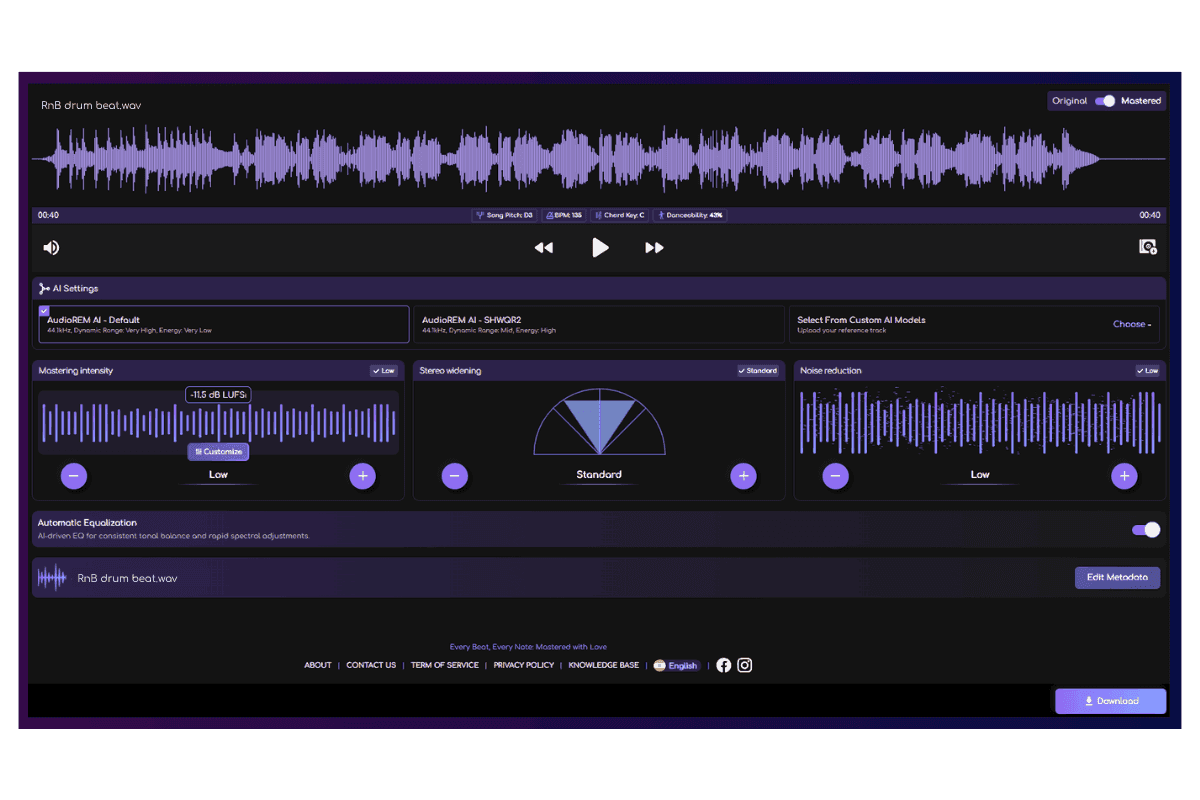
It listens to your complete song and applies balanced, song-aware processing instead of one-size-fits-all presets. That is the same restrained, whole-file thinking behind the workflow above. Its reference matching lets you point it at a track you love so it can aim for that exact tonal target, just like loading a reference in step one.
When you want a say, the controls are right there. You can custom-EQ the master yourself, widen or narrow the stereo image without wrestling the mid/side math, and pull the overall mastering intensity up or down until it sits right.
In short, a confident, finished master without the instrument-by-instrument surgery that belongs to mixing, plus full manual control at the moment you want it.
It all starts with the mix
No amount of clever EQ at the mastering stage can save a mix that is fighting itself. The better your mix translates on its own, the less you will need to touch later, and the smoother every master becomes. Treat mastering EQ as the final polish on something already solid, and that gut-drop moment in the playlist starts going the other way.
Ready to hear it on your own track? Upload a song to Remasterify and find your balance in minutes.
Frequently Asked Questions
What makes an EQ a "mastering" EQ?
Mostly precision and transparency: very fine gain steps (down to 0.1–0.25 dB), a mid/side mode, clean color-neutral processing, and broad gentle shapes over narrow notches — often with a linear-phase option. It describes how an EQ is built and used more than a fixed category.
How many dB do you EQ during mastering?
Small amounts — usually a quarter of a decibel up to about 1–2 dB, worked in 0.25–0.5 dB steps. The common rule: if you need more than 2–3 dB, the fix belongs back in the mix.
Should you EQ before or after compression when mastering?
Often both. A corrective EQ before the compressor balances the tone so one loud band doesn't trigger it unevenly; a second EQ after cleans up any coloration the compression added. A solid starting chain is EQ → compressor → EQ.
Is it better to cut or boost when mastering with EQ?
Cuts usually sound more natural, and reducing a competing band can do the same job as boosting the one you want. Boosts are still valid — a gentle high shelf for air is a classic. The real rule is to make the smallest move that works.
Does mastering EQ make a track louder?
Not directly — that's the limiter's job. But clearing mud or taming a resonance frees up headroom so you can push louder, and a balanced curve simply feels louder at the same level.