
How to Enhance Your AI-Generated Songs and Make Them Sound Professional

You typed the perfect prompt on Suno or Udio, the chorus is catchy, and you finally hit generate. But when you play the final track next to anything on Spotify, something feels off. The mix sounds thin, the vocals do not pop the way they should, and the whole track feels quieter and less polished than commercial music. Every AI music creator runs into this wall, and the fix is not a better prompt or a different model. The real solution is the post-production layer that almost no AI creator does.
What Is the Answer to Enhancing Your AI-Generated Audio?
The answer is mastering. Mastering is the final stage of audio production where a track is balanced, refined, and brought up to commercial loudness. It is the step that makes a major-label song feel big, clear, and professional on every speaker, from earbuds to car stereos.
Right now, the audio you generate from tools like Suno, Udio, or Riffusion is essentially a raw demo. Mastering is the missing layer between that raw demo and a release-ready track that competes with anything on Spotify. There are two ways to do it, and we will cover both in the next section.
Why Is Mastering Important for AI-Generated Songs?
Songs written and recorded by humans go through two professional stages before release, which are mixing and mastering. AI-generated songs skip both. The tool hands you a finished file, but that file is really just a polished demo. This is why your track sounds different from commercial music, and here are the four specific problems you have probably noticed.
First, the volume feels weak.
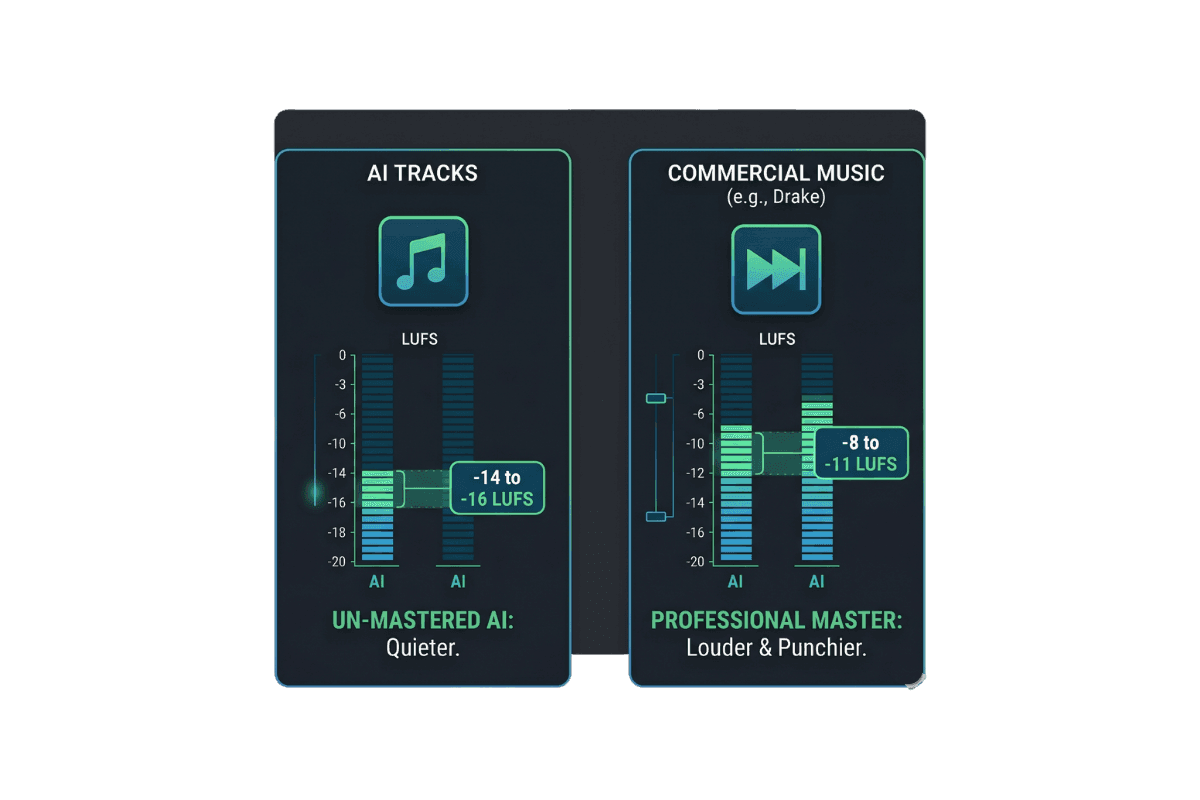
AI tracks usually come out around -14 to -16 LUFS, while commercial songs sit between -8 and -11 LUFS. When your song plays right after a Drake track on a playlist, it sounds noticeably quieter, and many listeners skip within seconds.
Second, there is a metallic shimmer on the high frequencies.
You hear it most on drums and cymbals, and it is the sound that immediately flags a track as AI-made. Mastering tames this with controlled de-essing and high-shelf EQ.
Third, the mid-range feels muddy, and the vocals sound buried.
AI compression smears the 200 to 500 Hz range, which is exactly where vocal warmth and clarity live. Mastering carves out this space so the voice sits forward in the mix.
Fourth, the track lacks punch.
Kicks do not hit, and snares do not crack. Mastering restores impact using multiband compression and transient shaping.
What Is Needed for Audio Mastering?
There are two workflows you can choose from, and the right one depends on how much time, money, and patience you have.
Workflow 1: The Traditional Route
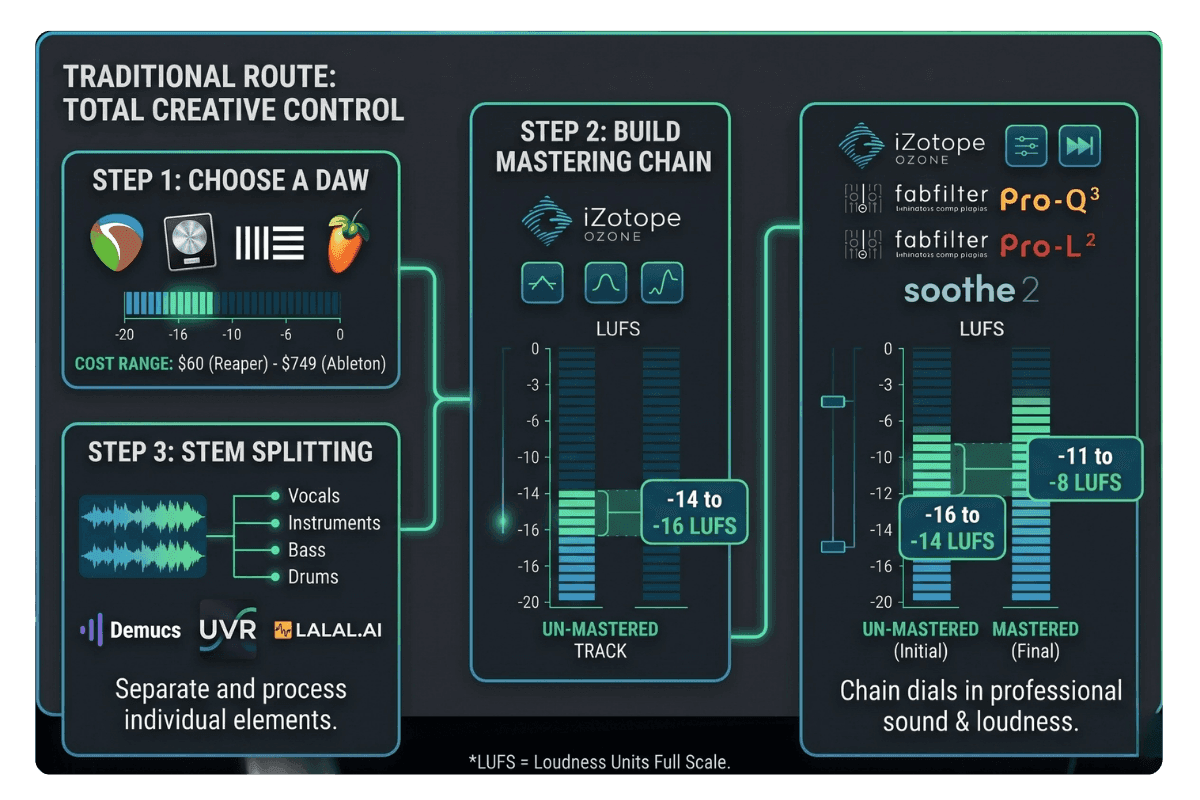
This is the path professional producers use, and it gives you total creative control over every detail of your sound. You start with a DAW like Reaper, Logic Pro, Ableton, or FL Studio. Reaper is the most affordable at around $60, while Logic Pro costs $200 one-time and Ableton ranges from $99 to $749 depending on the edition.
On top of the DAW, you will build a mastering plugin chain. iZotope Ozone is the industry standard for an all-in-one mastering suite, and FabFilter Pro-Q 3 handles surgical EQ work better than almost anything else. Add FabFilter Pro-L 2 for limiting and Soothe 2 for taming harsh resonances, and you have a chain that rivals professional studios. For a deeper breakdown of how to order and dial in each plugin, see our guide to the best audio mastering chain.
You will also need a stem splitter to separate vocals from instruments before processing. Demucs is free and open-source, UVR offers a friendly interface for the same engine, and LALAL.AI provides a quick web-based option.
The real benefits here are precision and learning. You can fix issues at the source, reuse the same chain across your catalog for a consistent sound, and build skills that transfer to any future audio project. Most beginners spend 20 to 40 hours getting comfortable with the tools, but the investment pays off if you plan to release music seriously over time.
Workflow 2: The Remasterify Route
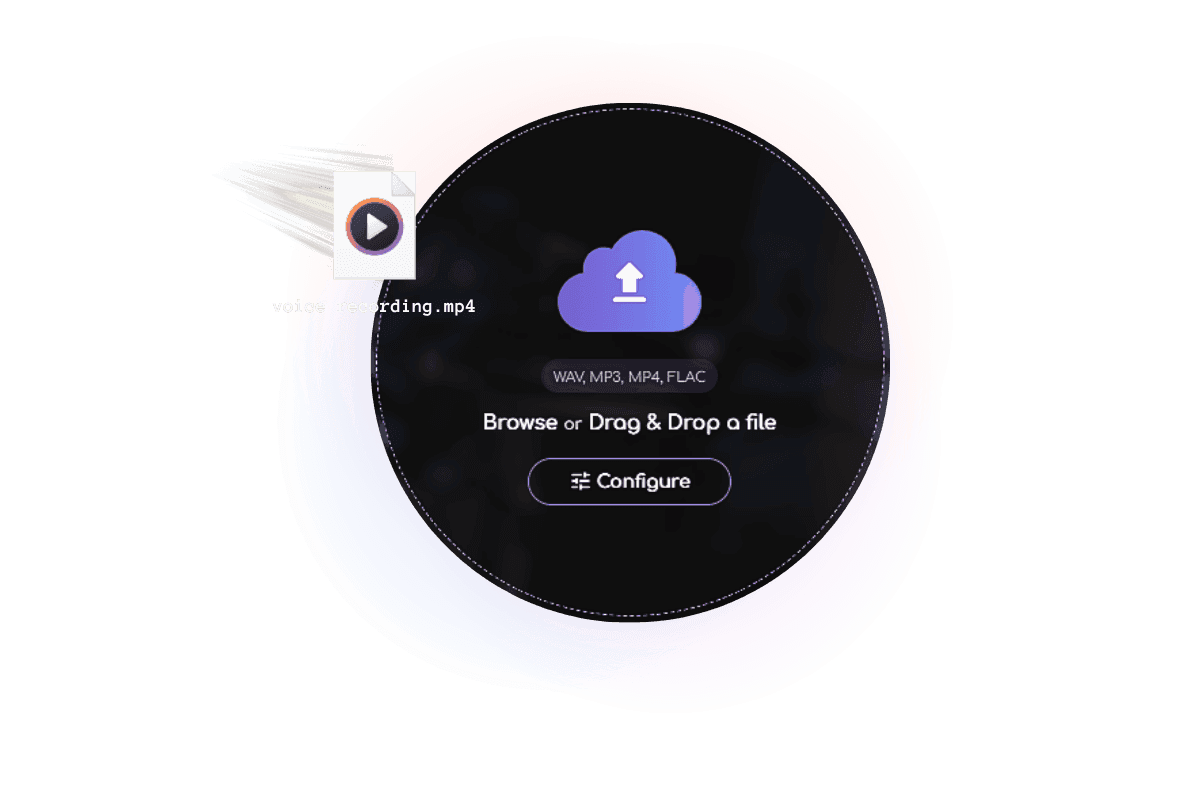
Remasterify is an online AI audio enhancer that works for every creator, whether you are polishing AI-generated music, home recordings, podcasts, or live performance audio. It removes everything complicated about Workflow 1 and replaces it with a tool anyone can use in minutes.
You simply upload your track, and Remasterify does the heavy lifting. It analyzes your song's energy, BPM, and other musical characteristics, then builds a personalized mastering chain tuned specifically to your track. The whole process finishes in a few seconds. You also get a built-in vocal pass that works with any AI voice generator output to enhance speech clarity and remove harshness.
If you want more control, Remasterify gives you simple options like mastering style, stereo width, and noise reduction. There is even a reference mastering feature where you upload a favorite commercial song, and Remasterify matches its sound on your track. Final masters can be delivered at streaming-ready loudness, including -14 LUFS with -1 dBTP, which is important for avoiding any distortion when your song is distributed.
Everyone Is Making AI Music Now, So Here Is How to Stand Out
AI music tools have made song generation effortless. Anyone with a Suno account and thirty seconds can publish a track, which means Spotify, YouTube, and TikTok are getting flooded with unmastered AI uploads every single day. The bar for "I made a song" has collapsed, but the bar for "I made a song people actually finish listening to" has risen sharply. Here are four things you can do to gain a real competitive edge.
- 1. Master every track before you release it. This is the single biggest differentiator right now, because most AI uploads skip this step entirely.
- 2. Clean up your vocals separately. Whether your voice comes from an AI voice generator or your own recording, a dedicated pass to enhance speech clarity puts your track in the top tier of AI uploads.
- 3. Match commercial loudness targets by hitting -14 LUFS for streaming platforms. This single change makes your track sound dramatically more professional during shuffle play.
- 4. Release consistently with a consistent sound. A mastered catalog feels like a real artist, while a raw catalog feels like spam. Remasterify handles all four of these automatically for every track you generate.
Frequently Asked Questions
Does Remasterify work with Suno, Udio, Riffusion, and other AI music tools?
Remasterify works with audio generated from Suno, Udio, Riffusion, and every other AI music tool out there. You simply download your generated track and upload it to Remasterify. It then analyzes the song and applies a personalized master tuned to its sound.
How to get AI-generated audio?
You can generate audio using popular AI music platforms like Suno, Udio, and Riffusion. Just sign up for a free account, type a prompt describing the song you want, and the platform creates a full track in under a minute. Once it is ready, you can download the file and use it however you like.
How to improve audio using AI?
The easiest way is to use an AI audio enhancer like Remasterify. You upload your track, and the tool automatically cleans up the sound, balances the mix, and brings it up to streaming-ready loudness. It takes just a few seconds and requires no technical knowledge.
Is there a free trial?
Yes, you can try Remasterify free on your next track. There is no credit card required to get started, so you can test the quality on your own song before committing to anything.
Get Your First Master in Under a Minute
Upload your AI-generated song and hear how it sounds when it's actually finished. Free to try, no credit card needed.